 |
|
1
|
|
3
|
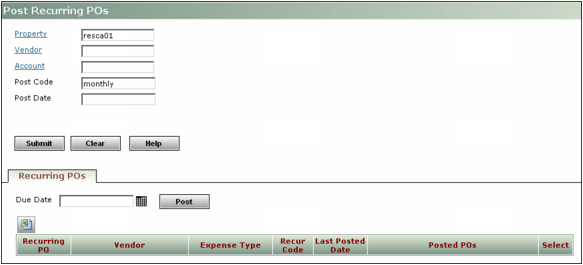
Click Submit. The table on the Recurring POs tab displays recurring purchase orders that meet the filter criteria. For more information, see “Post Recurring POs Screen: Recurring POs Tab”.
|
|
|
If no recurring purchase orders meet the criteria entered, the table on the Recurring POs tab will be empty.
|
|
4
|
Click Post.
|
 .
.  .
.
|
NOTE You may have one or more recurring purchase orders with the same post code.
|
|
|
|
|
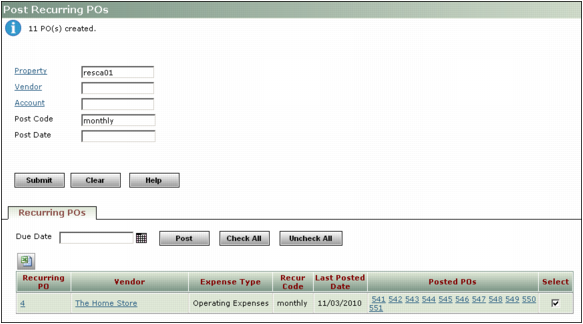
By default this check box is selected. If you do not want to post a recurring purchase order, clear the corresponding Select check box.
To select all the recurring purchase orders, click Check All. To clear all check boxes, click Uncheck All.
|